OS X Essentials
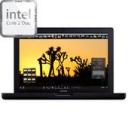
Today one my friends became a switcher, thanks to a new Macbook
![]()
One of the first things to do was of course to send him links of some of the things I consider essentials to any OS X user:
- Most basic widget (I don’t get why apple doesn’t ship such widget…) iStat Pro
- Codecs
for that I use Perian and Flip4mac - Instant Messaging is brought to you by Adium aka “the duck”
- File Transfer (FTP,SCP) is another duck’s business: Cyberduck
- Re coding your multimedia files? You better pull your HandBrake
- With so much multimedia around the house you better get it all Deliciously sorted
- Which you can then brag about in IRC using Colloquy
- Since life is not just about fun you can use neoOffice to get some work actually done
Of course some other friends like to include:
- Quicksilver is top of the list (flame me for not understanding how big deal it is)
Of course, if you think I’m missing something… don’t forget to leave a notice in the comments
Posted: August 30th, 2007 under English.
Tags: Apple, tip
Comments
Comment from Rafael
Time 30 August, 2007 at 9:52 am
A good guide to a switcher is mantained by Rui Carmo on his “The Tao of Mac” wiki/blog. Take a look: http://the.taoofmac.com/space/HOWTO/Switch%20To%20The%20Mac
And… you should learn to discover the power of Quicksilver :p
Comment from Freelance Samurai
Time 30 August, 2007 at 5:08 pm
well.. I hate widgets with a vengeance, so I’d recommend menumeters instead: http://www.ragingmenace.com/software/menumeters/
also:
Skim for PDF Viewing and create side notes on the PDF’s http://skim-app.sourceforge.net
Cog for listening to music without being forced to use itunes
http://cogx.org/
aside from these I totally agree with your list.
Comment from Antonio
Time 30 August, 2007 at 7:03 pm
I’ve found iusethis.com for a source of popular apps and such. Off the top of my list would be the Unsanity products HERE, of course, as you’ve listed it already, Flip4Mac, iBackup, info.xhead, and another one by the Flip4Mac people, Drive In.


Comment from bruno amaral
Time 30 August, 2007 at 4:48 am
well, it’s not a big deal until you get passed that learning curve. After you get the hang of it, quicksilver starts saving you a lot of time copying files, adding text to documents, resizing images, sending emails (without using the maill.app), compressing folders, adding tasks to iGTD, opening urls that pop into your head, playing music….
and with all that time you save, you can waste it making the cube look good !